Customize App Info & SEO
Configure your application's basic information, including name, description, logo, and social links
URL
For local development, set in .env.development:
VITE_APP_URL="http://localhost:3377"For production, set in .env.production:
VITE_APP_URL=https://your-domain.comBasic Information
VibeAny's basic application information is configured in the src/config/site-config.ts file.
export const siteConfig = {
  title: "VibeAny",
  author: "Jayden & Lingjue",
  description: "VibeAny ",
  keywords: [],
  theme: {
    defaultTheme: "default", // Default theme, can be "light", "dark", or "system"
    enableSwitch: true, // Whether to show the theme toggle button
  },
  images: {
    ogImage: "/og.jpg", // Open Graph image, displayed when sharing to social media
    logo: "/logo.svg", // Website logo
    isInvert: true, // Whether to invert colors, set to true when the logo needs color inversion in dark mode
  },
  social: {
    github: "https://github.com/jiahao-jayden/vibe-any-tanstack",
    twitter: "https://x.com/jiahao_jayden",
    discord: "https://discord.gg/FQ2TAHh6",
    youtube: "https://www.youtube.com/@huanhao1323",
  },
}
Replace Logo
You can use online tools to generate a nice logo, such as:
- Place your logo file in the
public/directory - Update
siteConfig.images.logowith the new path - If the logo needs color inversion in dark mode, set
isInvert: true
Additionally, you need to set a favicon, which determines the icon displayed in the browser tab. You can use the following tool to convert it to a favicon and place it in the public/ directory as favicon.ico:
Replace OG Image
The Open Graph image is displayed when sharing on social media.
You can reference others' Open Graph images for design inspiration, or use online tools to generate one:
- Prepare an image
- Place it in the
public/directory - Update the
siteConfig.images.ogImagepath
Locally, you can use TanStack's Devtools to quickly preview how the Open Graph Image looks across different platforms.
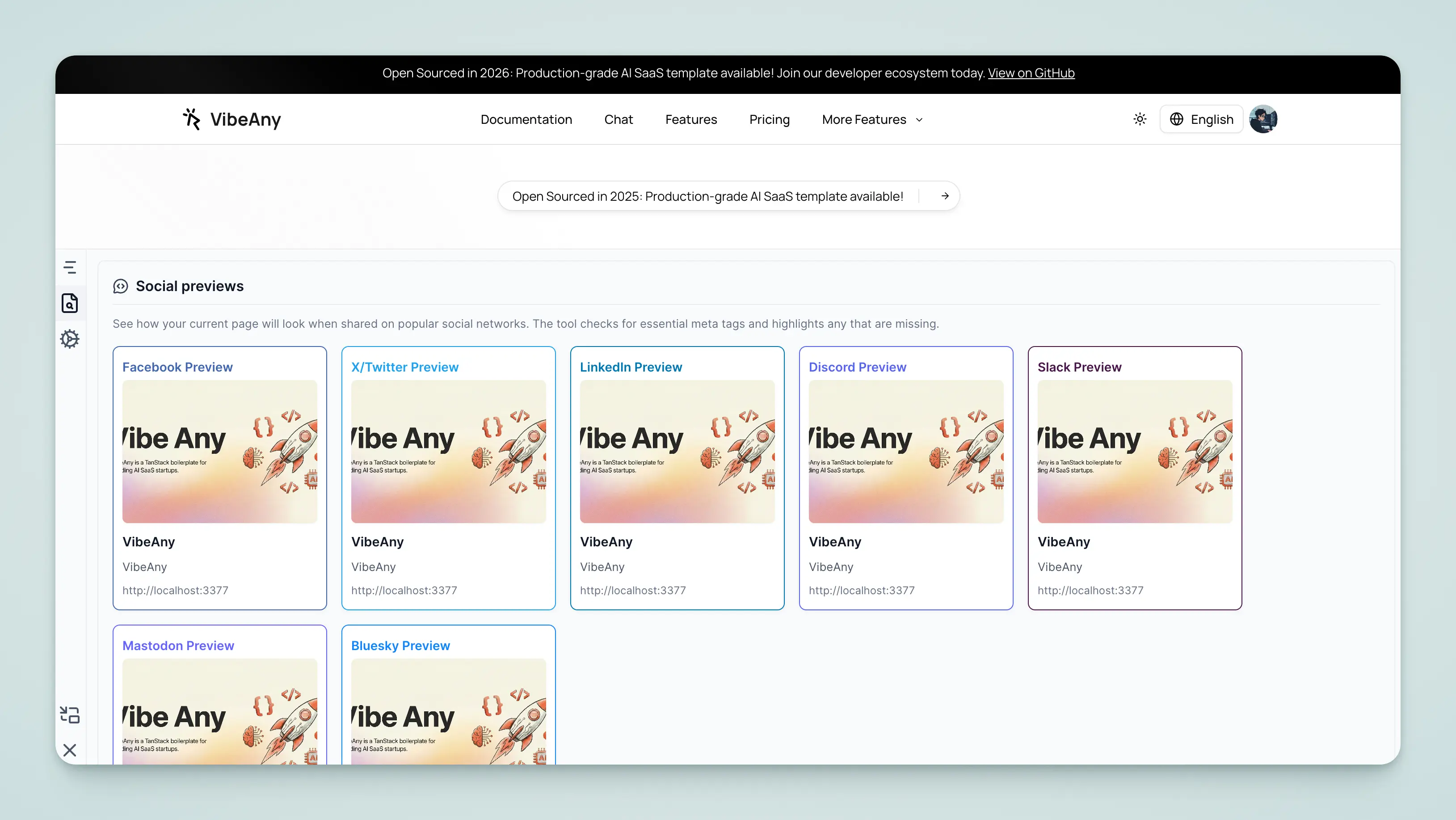
Privacy Policy and Terms of Service
VibeAny includes built-in privacy policy and terms of service pages. Content is stored in the content/legal/ directory:
content/legal/
├── privacy-policy.mdx      # English privacy policy
├── privacy-policy.zh.mdx   # Chinese privacy policy
├── terms-of-service.mdx    # English terms of service
└── terms-of-service.zh.mdx # Chinese terms of service
Access paths:
/legal/privacy-policy- Privacy Policy/legal/terms-of-service- Terms of Service
Editing Content
Simply edit the corresponding MDX files. Markdown syntax and custom components are supported.
---
title: Privacy Policy
description: How we collect, use, and protect your personal information
lastUpdated: 2025-01-01
---

## Introduction

This privacy policy explains...
The
lastUpdatedfield is automatically displayed at the top of the page. It's recommended to update this date whenever you modify the content.
SiteMap
A sitemap is an important way for search engines to index your website. It tells search engines about the site's structure and content, helping them better understand your website.
You don't need to configure the sitemap manually — VibeAny automatically generates it. This is a built-in capability of TanStack Start. See the TanStack Start documentation for more.
Robots.txt
Robots.txt tells search engines which pages can be crawled and which cannot.
VibeAny's robots.txt configuration is centralized in the src/config/robots-config.ts file. VibeAny automatically generates the robots.txt file.
export const robotsConfig = {
  rules: {
    userAgent: "*",
    allow: "/",
    disallow: ["/*?*q=", "/admin/*", "/api/*"],
  },
  sitemap: `${import.meta.env.VITE_APP_URL}/sitemap.xml`,
}