Supabase
Open-source Firebase alternative with PostgreSQL database, auth, storage, and real-time subscriptions
Supabase is built on PostgreSQL and provides authentication, file storage, Edge Functions, and more beyond the database. The free tier offers 500 MB database storage, 1 GB file storage, and up to 2 active projects (paused after 1 week of inactivity).
Quick Start
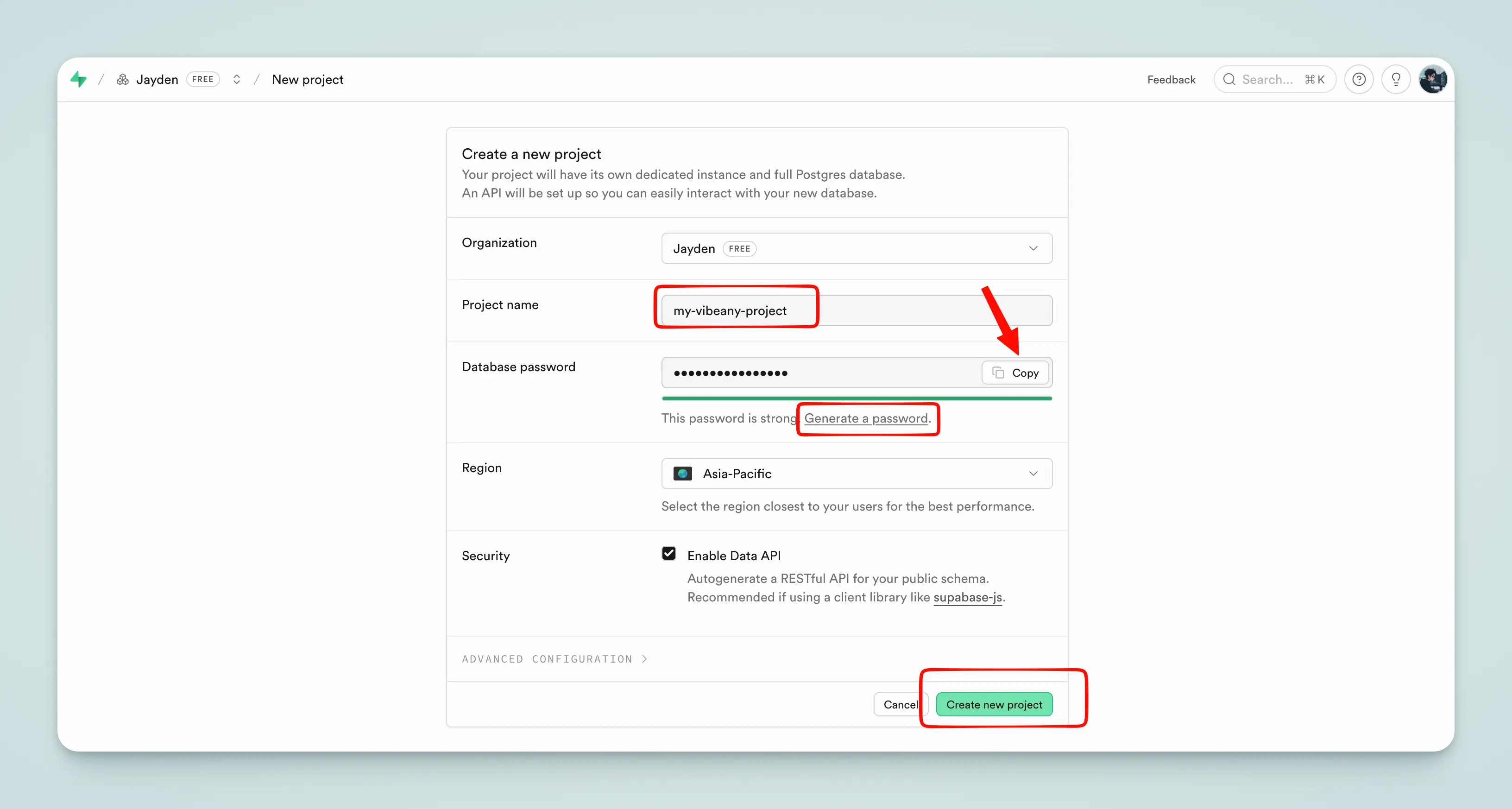
Create a Project
Open the Supabase Dashboard and click New Project.
Tip
Remember the database password you set — you'll need it later when connecting.
Get the Connection String
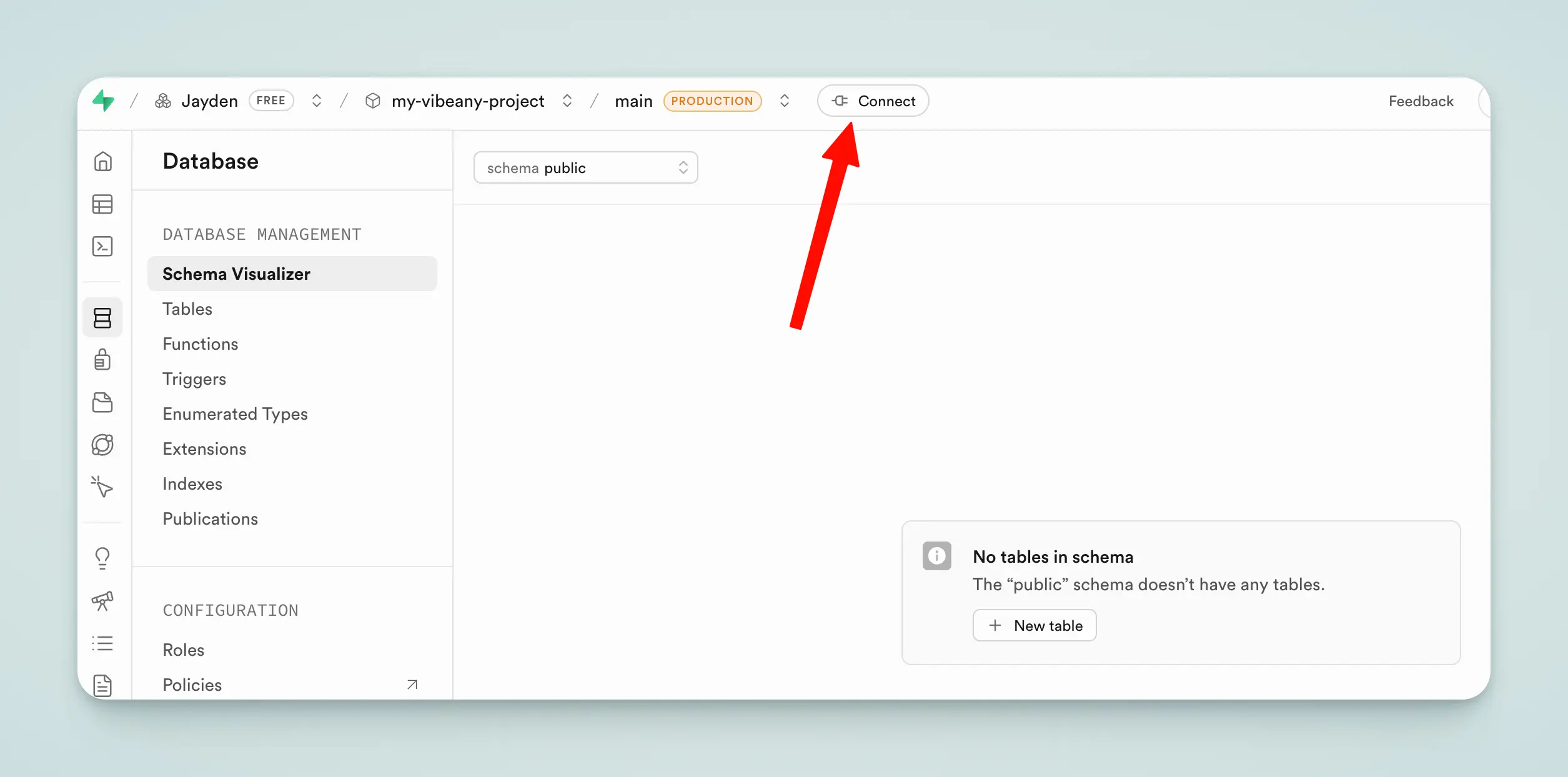
After the project is created, click the Connect button at the top.
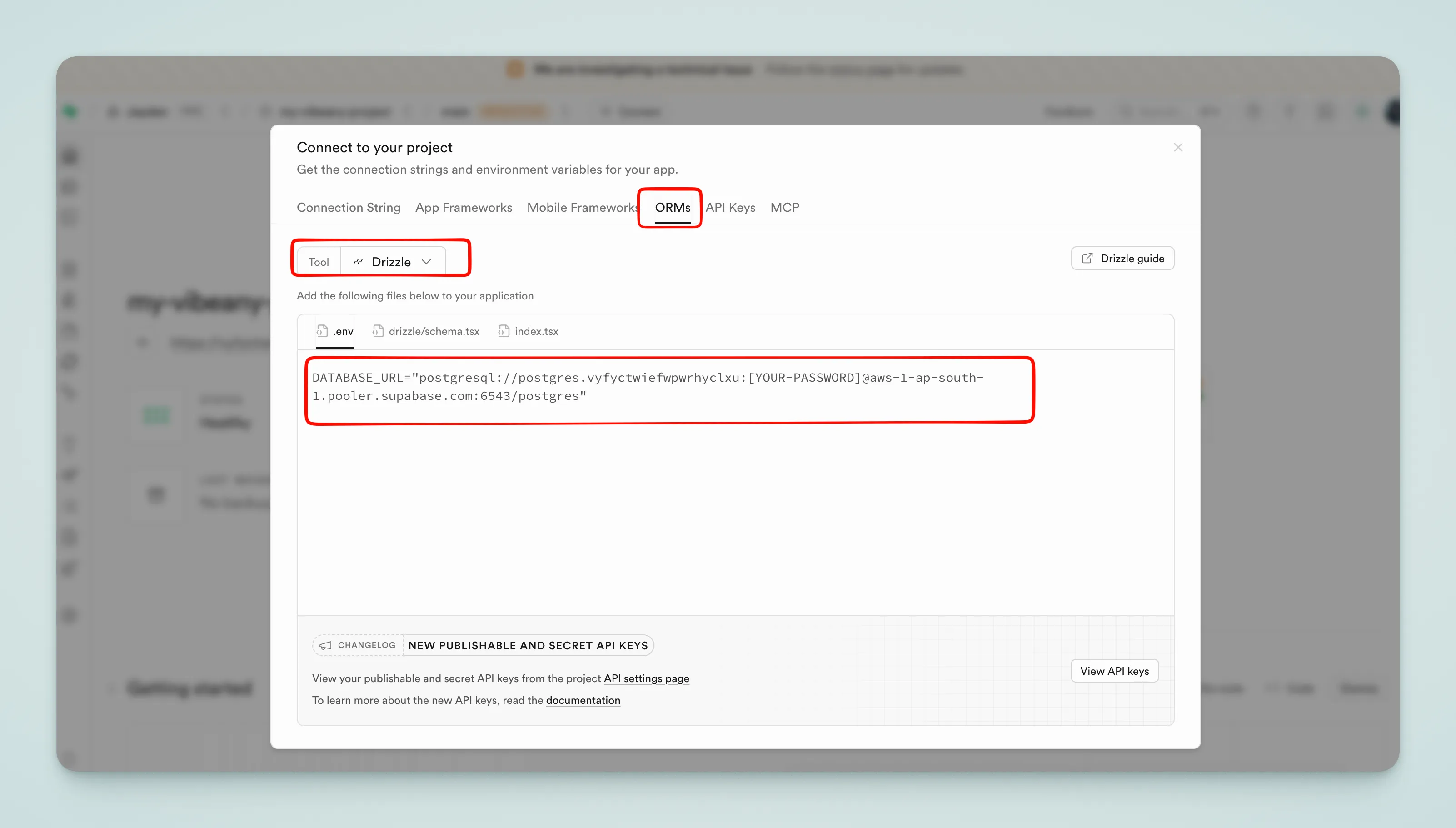
Select ORMs → Drizzle, and copy the connection string in .env format. Replace [YOUR-PASSWORD] with the password you set.
Configure Environment Variables
Paste the connection string into your .env file:
DATABASE_URL="postgresql://postgres.xxx:[email protected]:6543/postgres"Run Migrations
Run the following commands to generate and apply database migrations:
pnpm db:generate
pnpm db:migrateUsing a Separate Schema
Supabase uses the public schema by default, which contains Supabase's own system tables (auth, storage, etc.). Creating a separate schema keeps your application data isolated from system data for easier management.
Create a new schema in the Table Editor page:
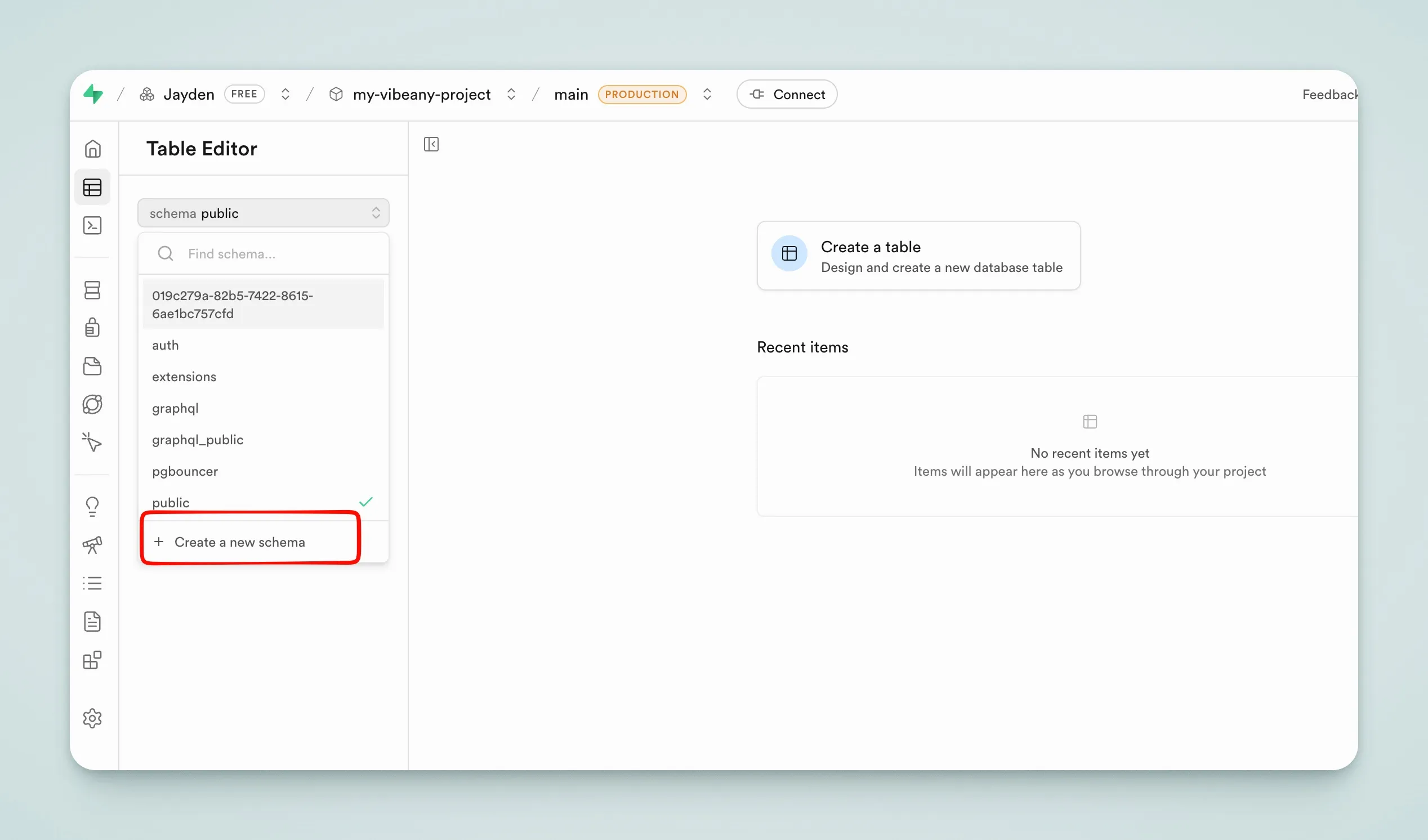
Then specify the schema in the connection string:
DATABASE_URL="postgresql://postgres.xxx:[email protected]:6543/postgres?schema=your-schema-name"