PayPal
PayPal covers 200+ countries and regions, supporting PayPal, Venmo, credit cards, and more, with over 400 million active users
Under Development
The PayPal adapter is currently under development and not yet available. You can complete the configuration below so it's ready to use once the adapter is released.
Quick Start
Create a PayPal Developer Account
Go to PayPal Developer and sign up, then log in to the Dashboard.
Create a REST API App
- Open the Apps & Credentials page and click
Create App - Enter the app name, select
Merchanttype, and click Create - Copy the
Client IDandClient Secretto.env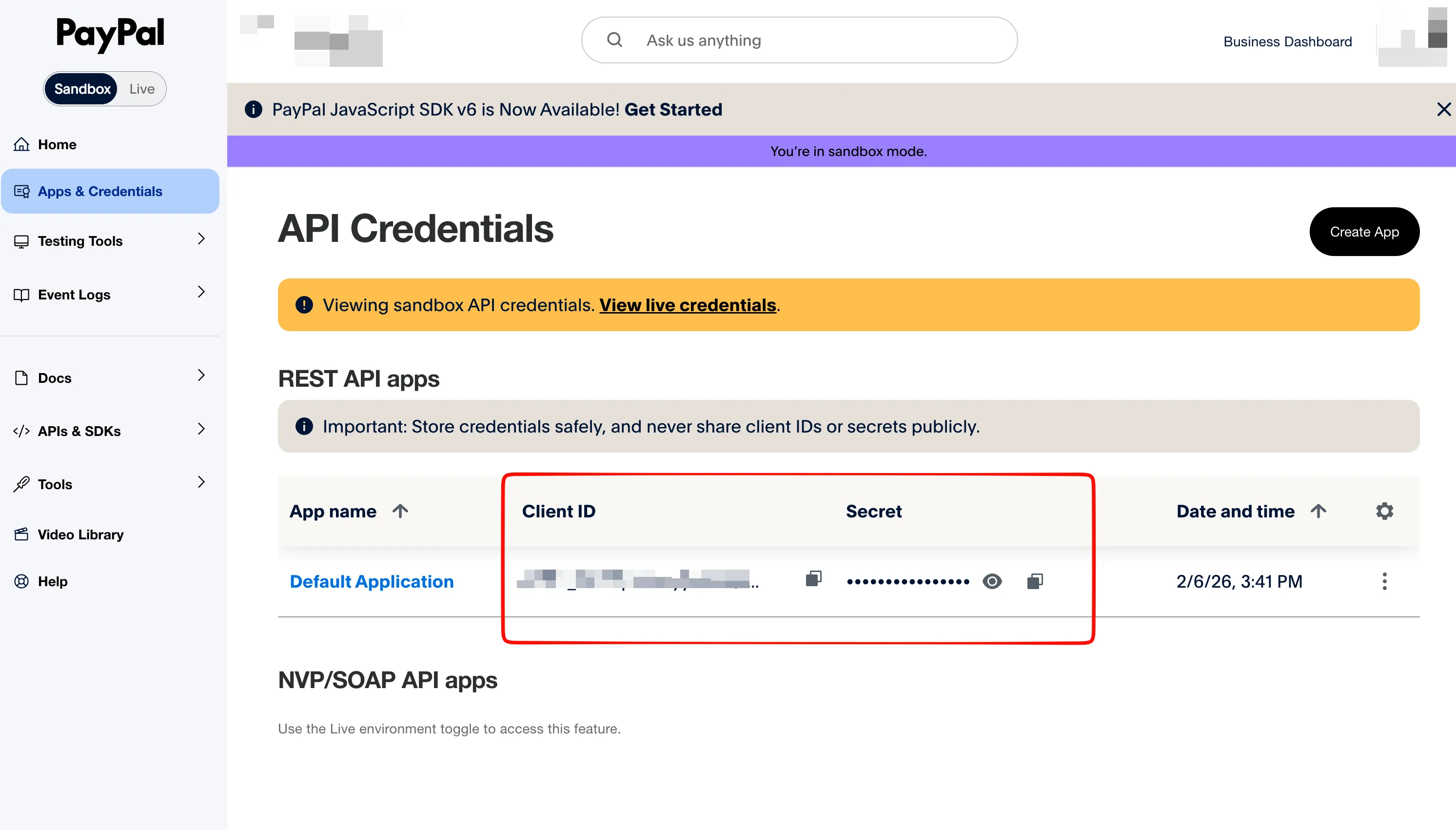
PAYPAL_CLIENT_ID=your_client_id
PAYPAL_CLIENT_SECRET=your_client_secret
You can also enter them in the admin config panel.
Warning
PAYPAL_CLIENT_SECRET is sensitive information — do not commit it to your code repository.
Configure Webhook
- On the
Apps & Credentialspage, go toApplications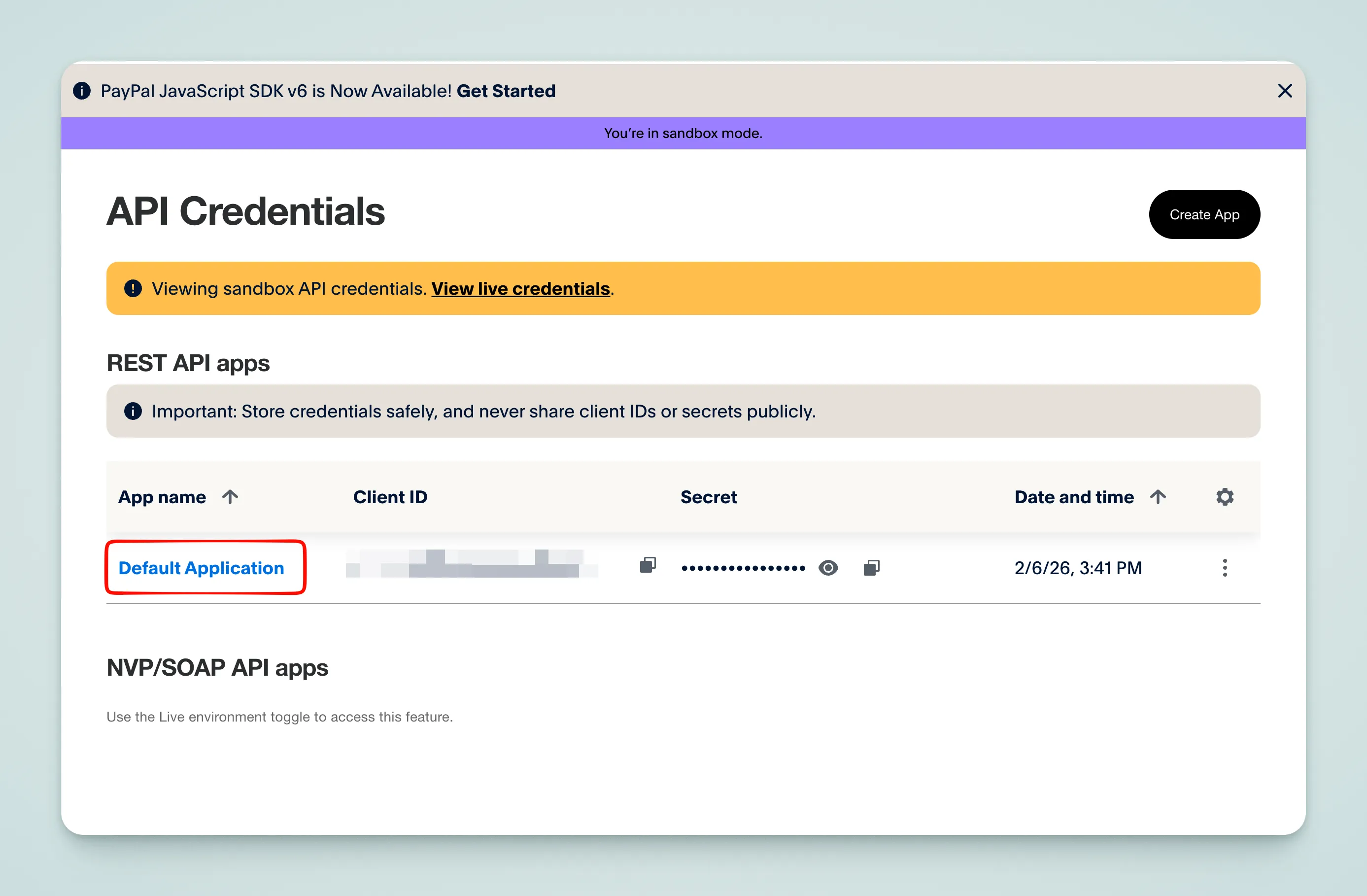
- Scroll down to the
Webhookstab and clickAdd Webhook - Enter the callback URL:
https://your-domain.com/api/payment/webhook/paypal- Select the events to listen for:
CHECKOUT.ORDER.APPROVEDCHECKOUT.ORDER.COMPLETEDBILLING.SUBSCRIPTION.ACTIVATEDBILLING.SUBSCRIPTION.CANCELLEDBILLING.SUBSCRIPTION.PAYMENT.FAILEDPAYMENT.SALE.COMPLETEDPAYMENT.CAPTURE.REFUNDEDPAYMENT.SALE.REFUNDED
- After creation, copy the Webhook ID to
.env, or configure it in the admin panel: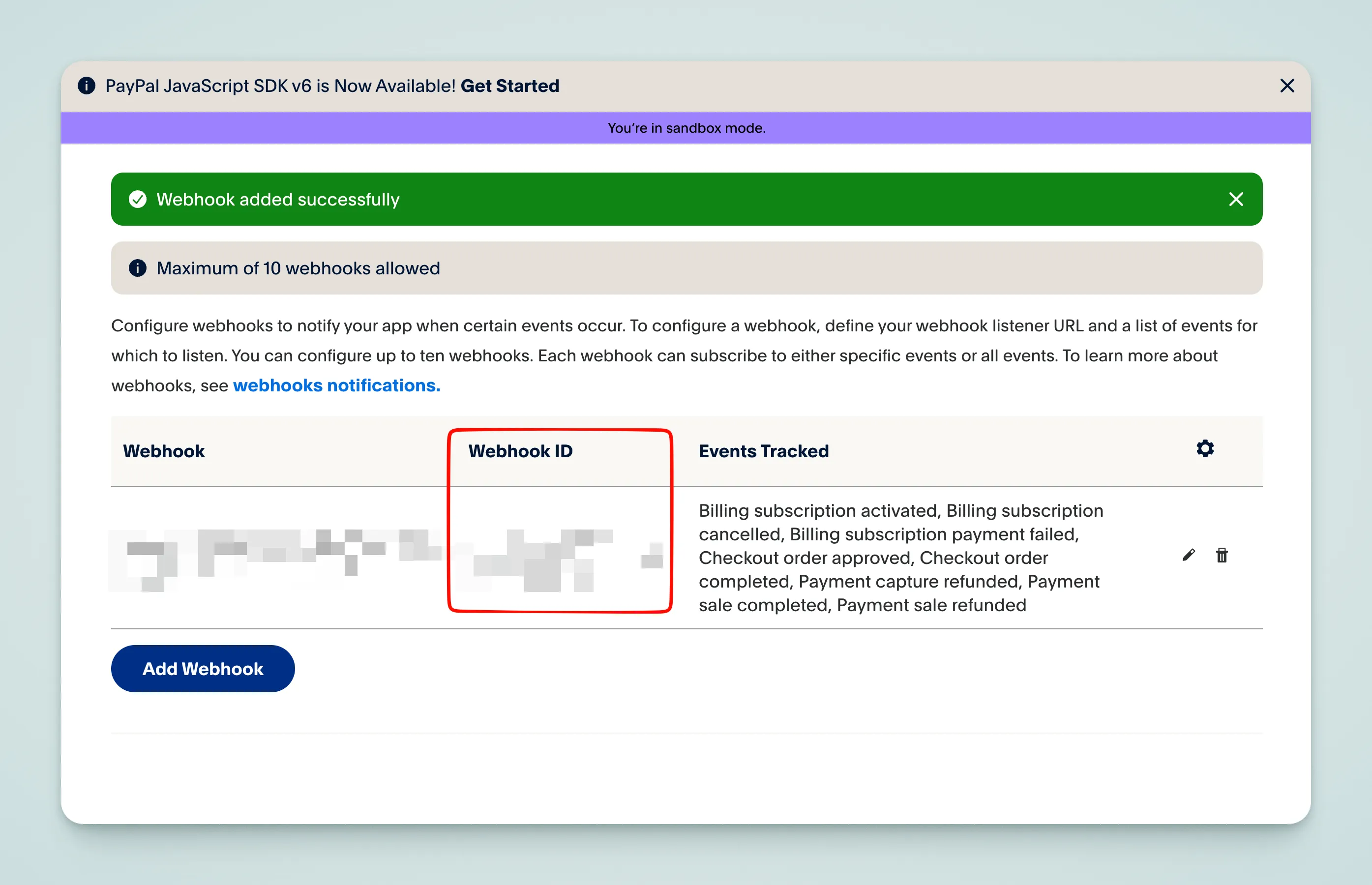
PAYPAL_WEBHOOK_ID=your_webhook_idSandbox Mode
PayPal provides an independent Sandbox environment for testing — no real charges are made.
-
On the PayPal Dashboard page, switch to the
Sandboxtab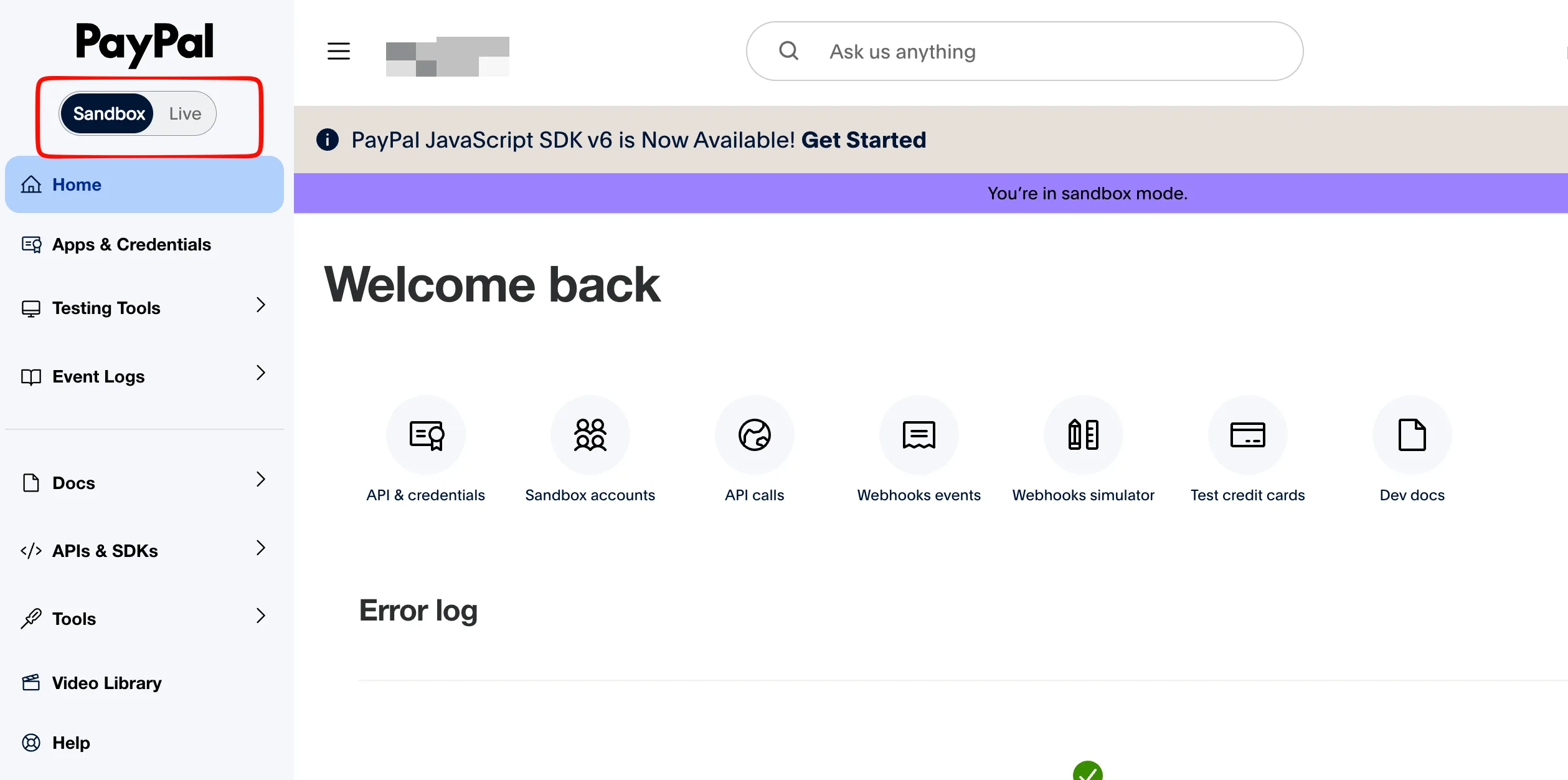
-
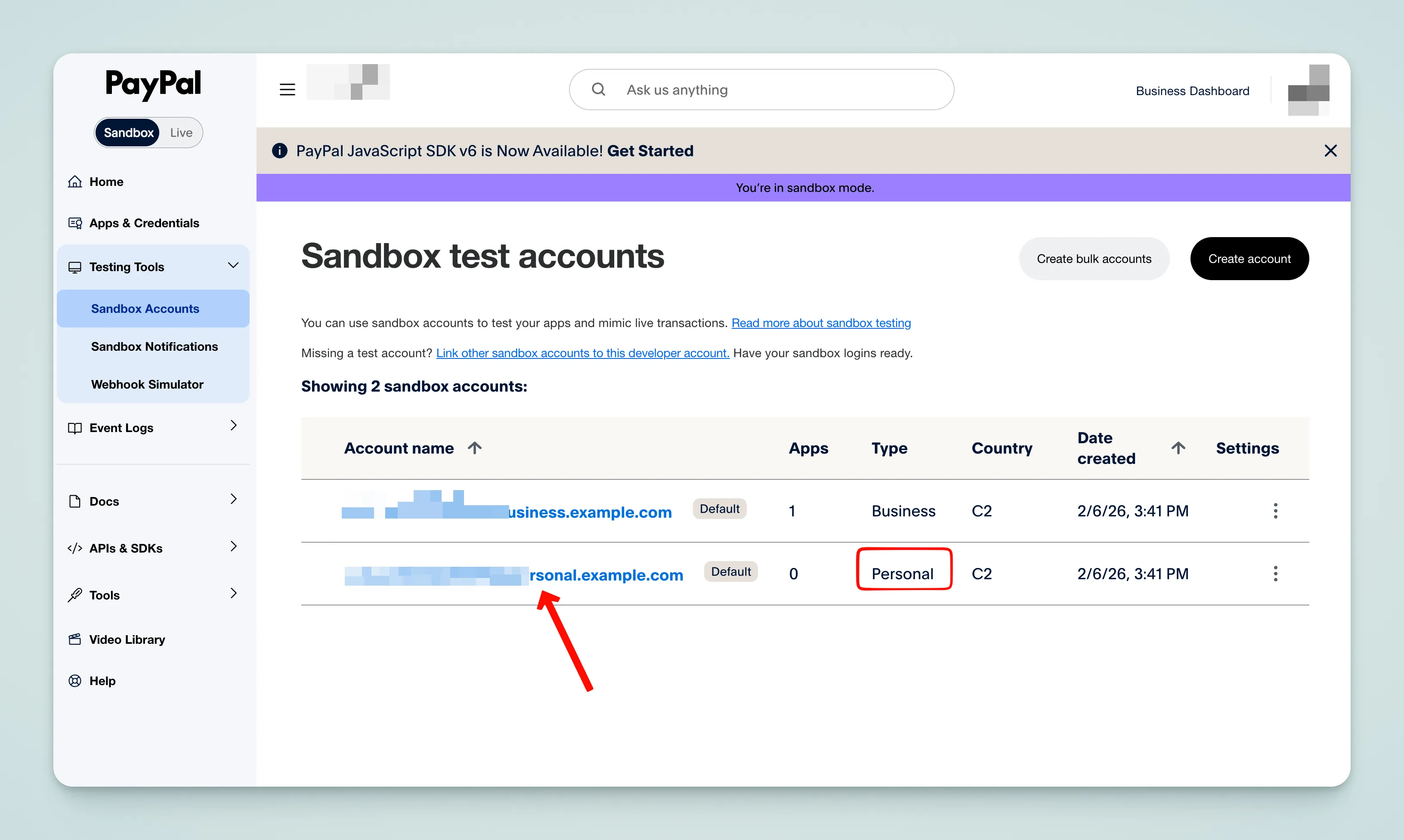
PayPal automatically provides test accounts. View them on the Sandbox Accounts page. The test buyer account can be used to simulate payments.
Tip
The Sandbox Webhook requires a publicly accessible callback URL. For local development, use a reverse proxy tool like Ngrok. See the reverse proxy section in the Stripe documentation for setup instructions.
Verify Configuration
Open the homepage, scroll down to the pricing section, and click the purchase button. If it redirects to the PayPal payment page, the configuration is successful.
Configure Pricing
PayPal subscriptions require creating a Product and Plan in the dashboard first.
- Open PayPal Subscriptions and create a Product
- Create a Plan under the Product, setting the price and billing cycle
- Copy the Plan ID (format
P-xxx) to.env. You can rename the environment variables as needed, but they must match the code:
VITE_PAYPAL_PRO_MONTHLY_PRICE_ID=P-xxx
VITE_PAYPAL_PRO_YEARLY_PRICE_ID=P-xxx
VITE_PAYPAL_LIFETIME_PRICE_ID=P-xxx- Modify
src/config/payment-config.ts— amounts and intervals must match the PayPal dashboard:
export const paymentConfig: PlanWithPrice[] = [
  {
    id: "pro",
    planType: "subscription",
    credit: {
      amount: 100,
      expireDays: 31,
    },
    prices: [
      {
        priceId: import.meta.env.VITE_PAYPAL_PRO_MONTHLY_PRICE_ID!,
        amount: 990,              // In cents, 990 = $9.90
        currency,
        interval: "month",
        trialPeriodDays: 7,
      },
      {
        priceId: import.meta.env.VITE_PAYPAL_PRO_YEARLY_PRICE_ID!,
        amount: 9900,
        currency,
        interval: "year",
      },
    ],
    display: {
      isRecommended: true,
      group: "subscription",
    },
  },
  {
    id: "lifetime",
    planType: "lifetime",
    prices: [
      {
        priceId: import.meta.env.VITE_PAYPAL_LIFETIME_PRICE_ID!,
        amount: 19900,
        currency,
      },
    ],
    display: {
      originalPrice: 29900,
      group: "one-time",
    },
  },
]
Field Reference
| Field | Description |
|---|---|
id | Plan identifier, used to look up the plan in code |
planType | free / subscription / lifetime |
credit.amount | Credits granted when subscription activates |
credit.expireDays | Credit expiration days, omit for no expiration |
priceId | PayPal Plan ID, copied from Dashboard |
amount | Price in cents, 990 = $9.90 |
interval | Billing cycle, month or year |
trialPeriodDays | Free trial days |
display.isRecommended | Whether to show the recommended label |
display.originalPrice | Original price for strikethrough display |
display.group | Group identifier for UI categorization |
Creem
Creem is a payment platform for SaaS and digital products that automatically handles global tax compliance as a Merchant of Record, supporting subscriptions and License Key management
WeChat Pay and Alipay
WeChat Pay and Alipay are China's two major mobile payment platforms, covering over 1 billion users combined